
Part 1: Introduction to git and GitHub


Part 2: Getting started with git


Figure 1
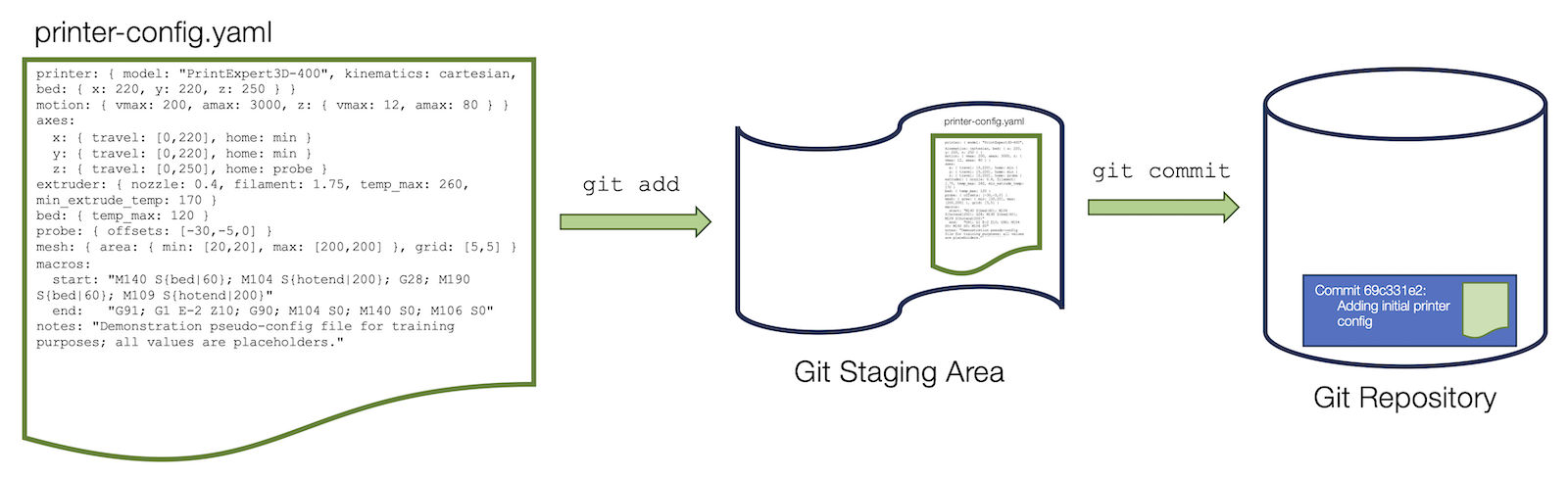
Diagram showing an example of the git staging and commit process.
Illustration of the git staging and commit process.

Figure 2
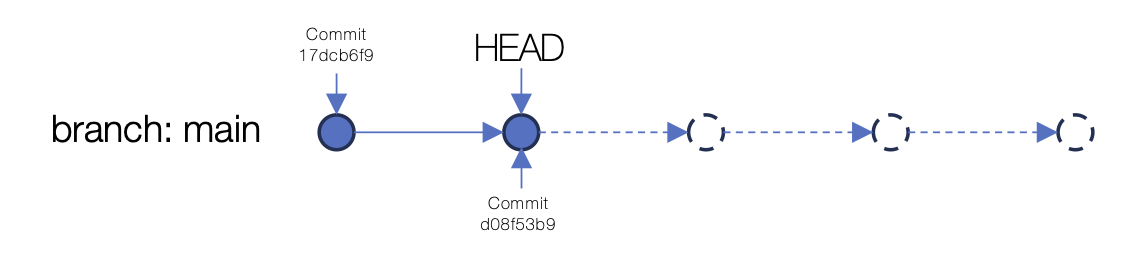
Diagram showing an illustration of the commit status after two commits.
An illustration of the commit status after two commits.

Part 3: Getting started with GitHub


Figure 1

part of the GitHub homepage showing where to click to find the Settings menu.
Location of the GitHub user menu where Settings is located.

Figure 2
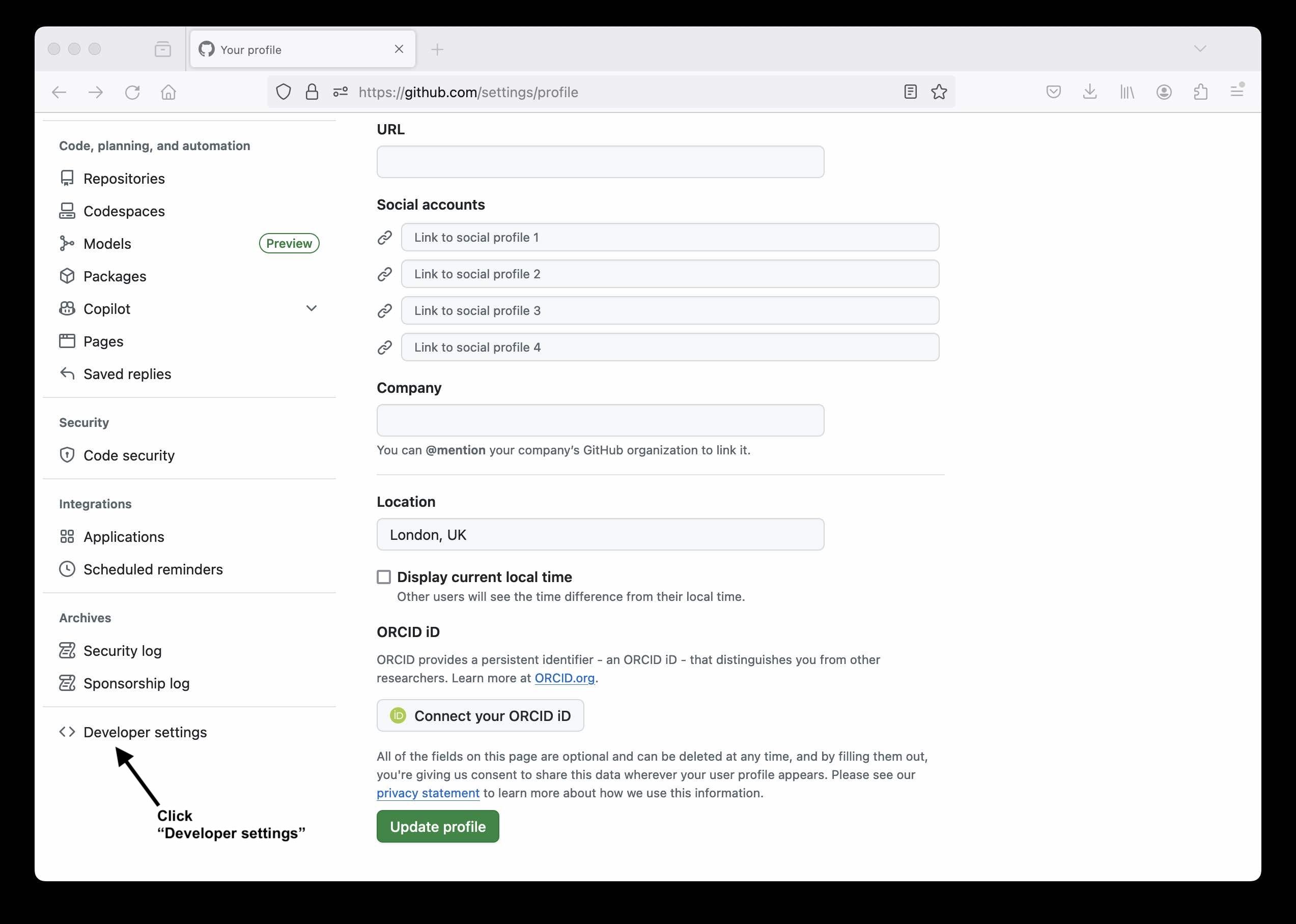
Screenshot showing location of the Developer settings link on the GitHub Settings page.
Location of the “Developer settings” option on the GitHub Settings page.

Figure 3
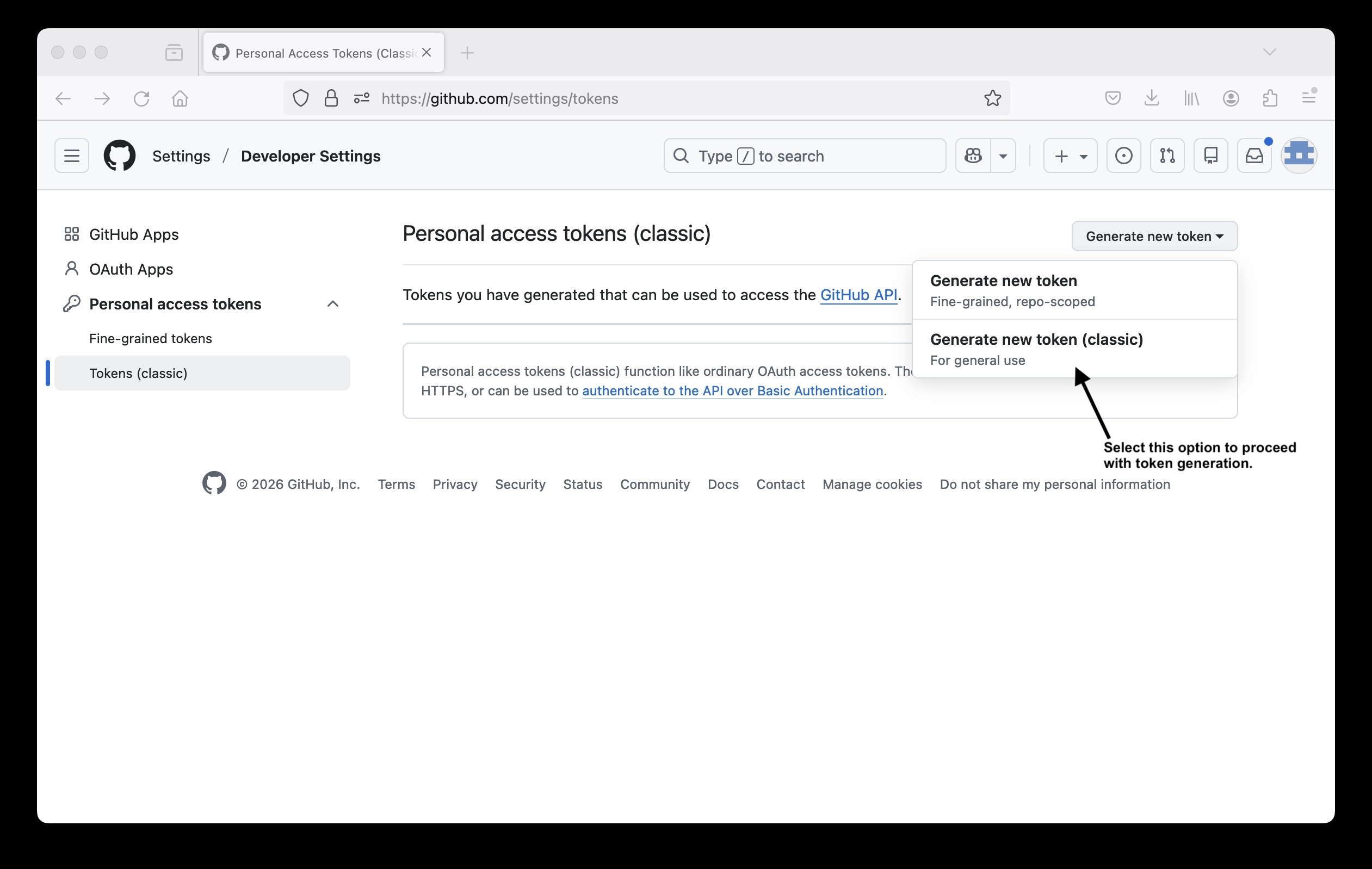
Screenshot showing location of the correct "Generate new token (classic)" option on the personal access tokens setup page.
Location of the “Generate new token (classic)” option on the GitHub personal access tokens setup page.

Figure 4
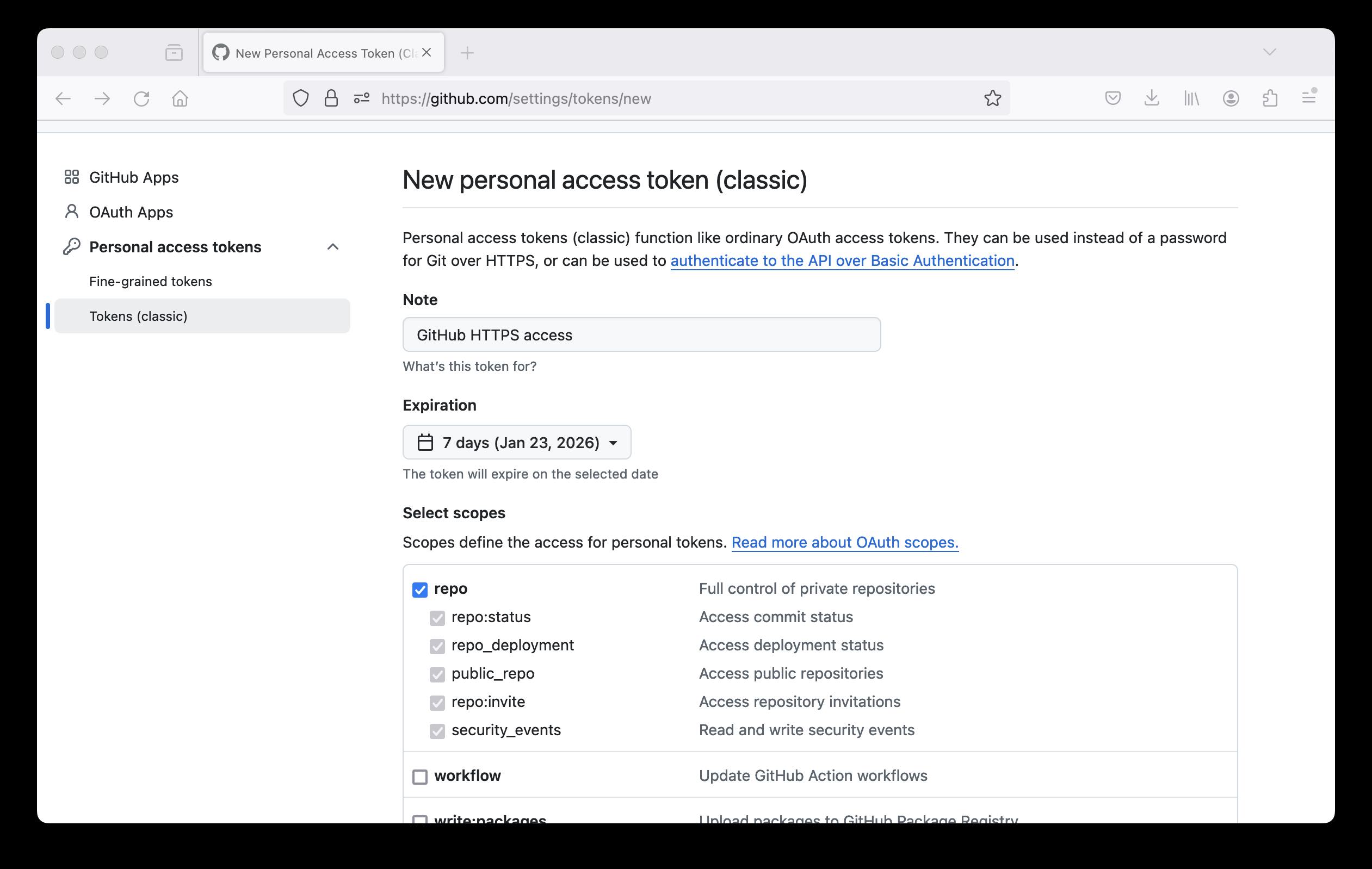
Screenshot showing personal access token configuration options.

Figure 5
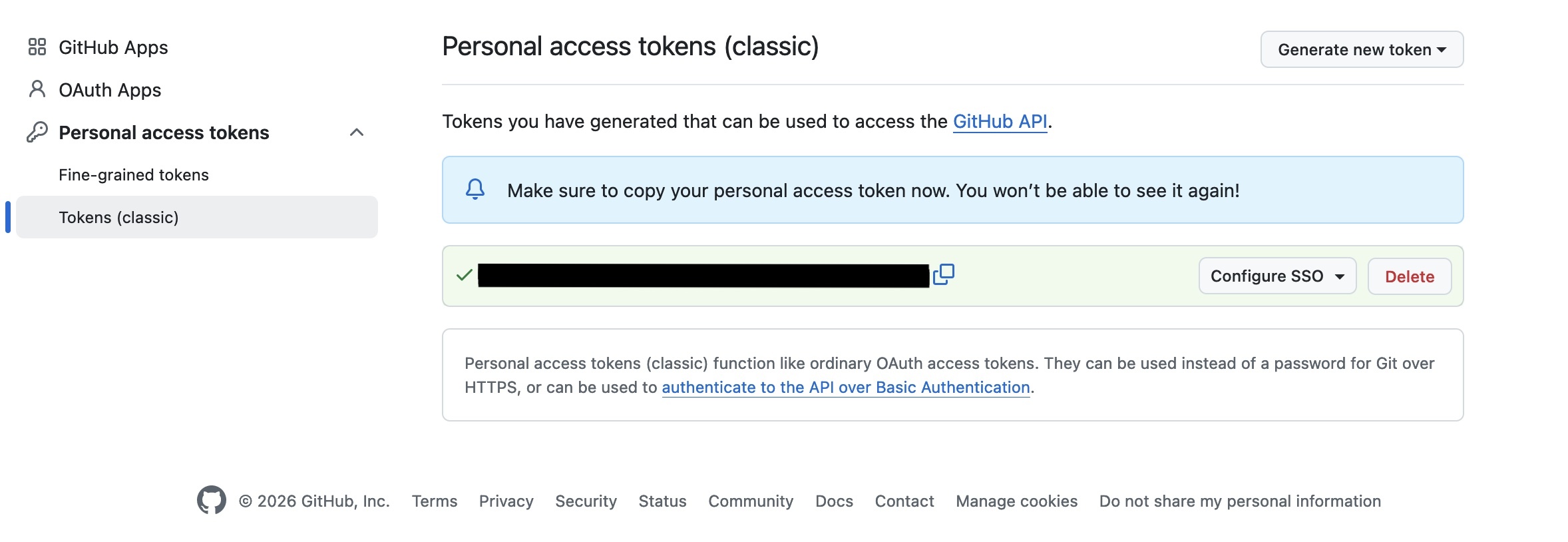
Screenshot showing generated personal access token.
Screenshot showing generated access token.

Figure 6

Location of the "New repository" option on the GitHub web interface.
Location of the “New repository” option on the GitHub web interface.

Figure 7
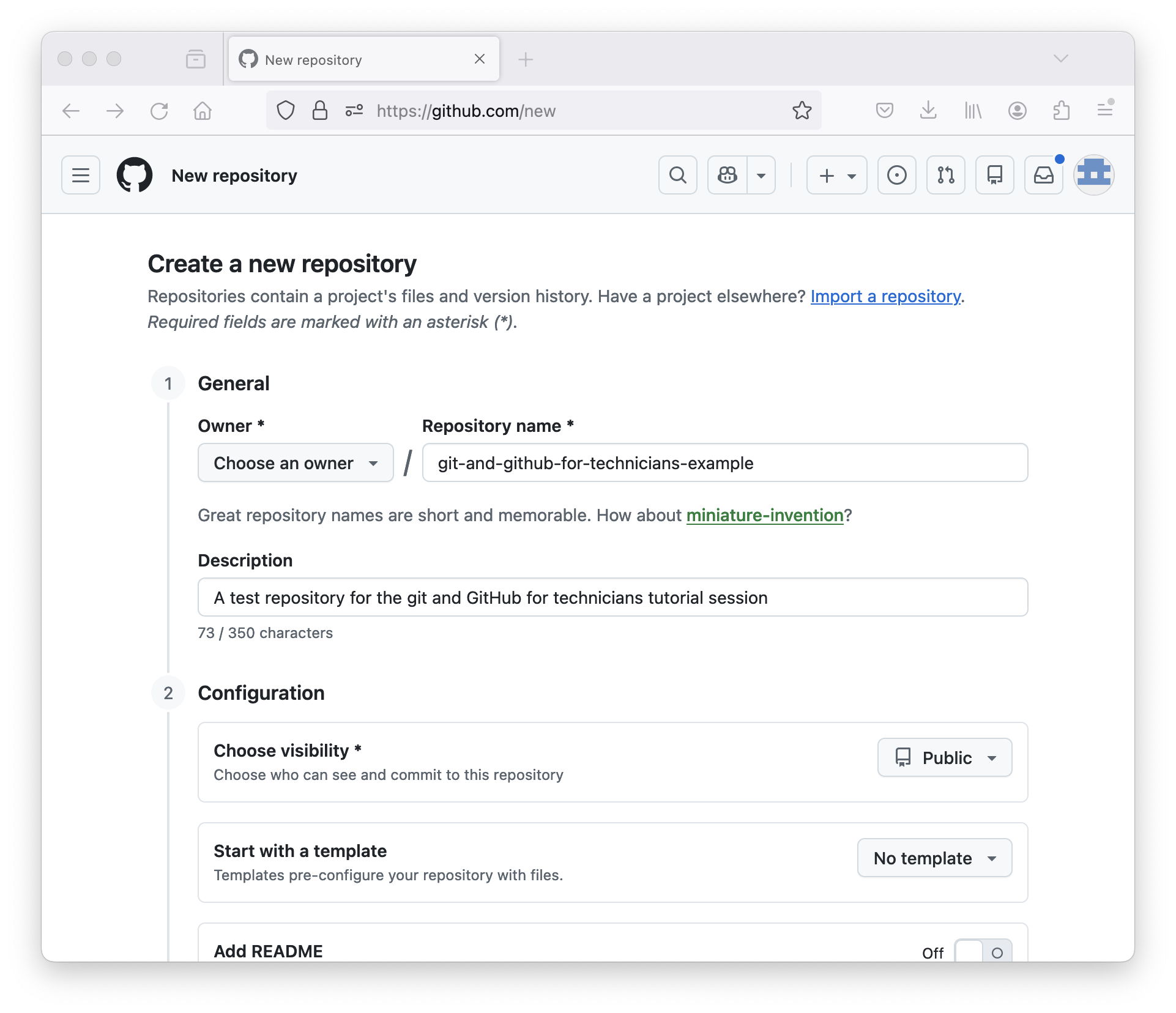
Screenshot showing options to select for creating a new repository in GitHub.

Figure 8
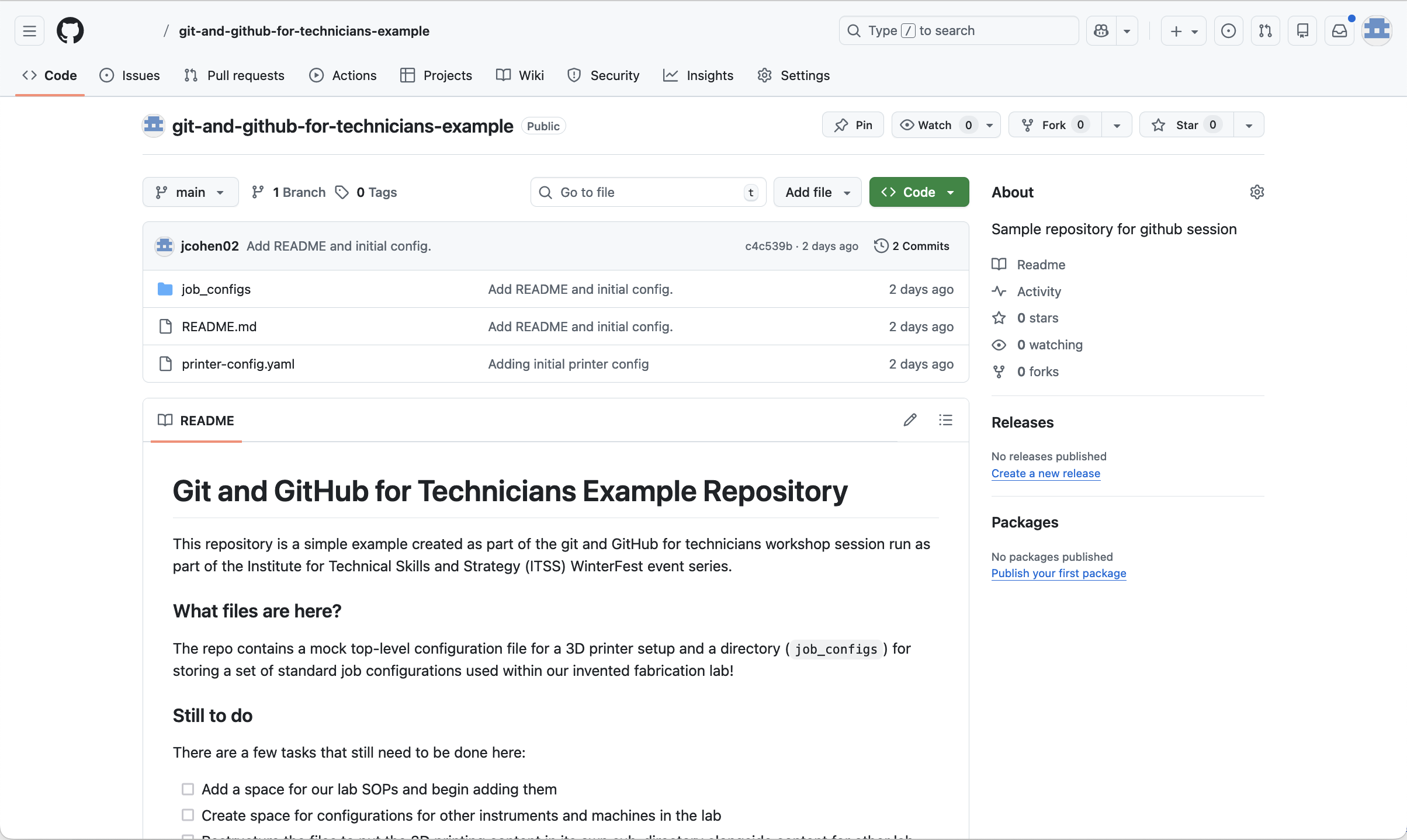
Screenshot of the GitHub respository page in the web interface showing README and files.
GitHub respository page in the web interface showing README and files.

Figure 9
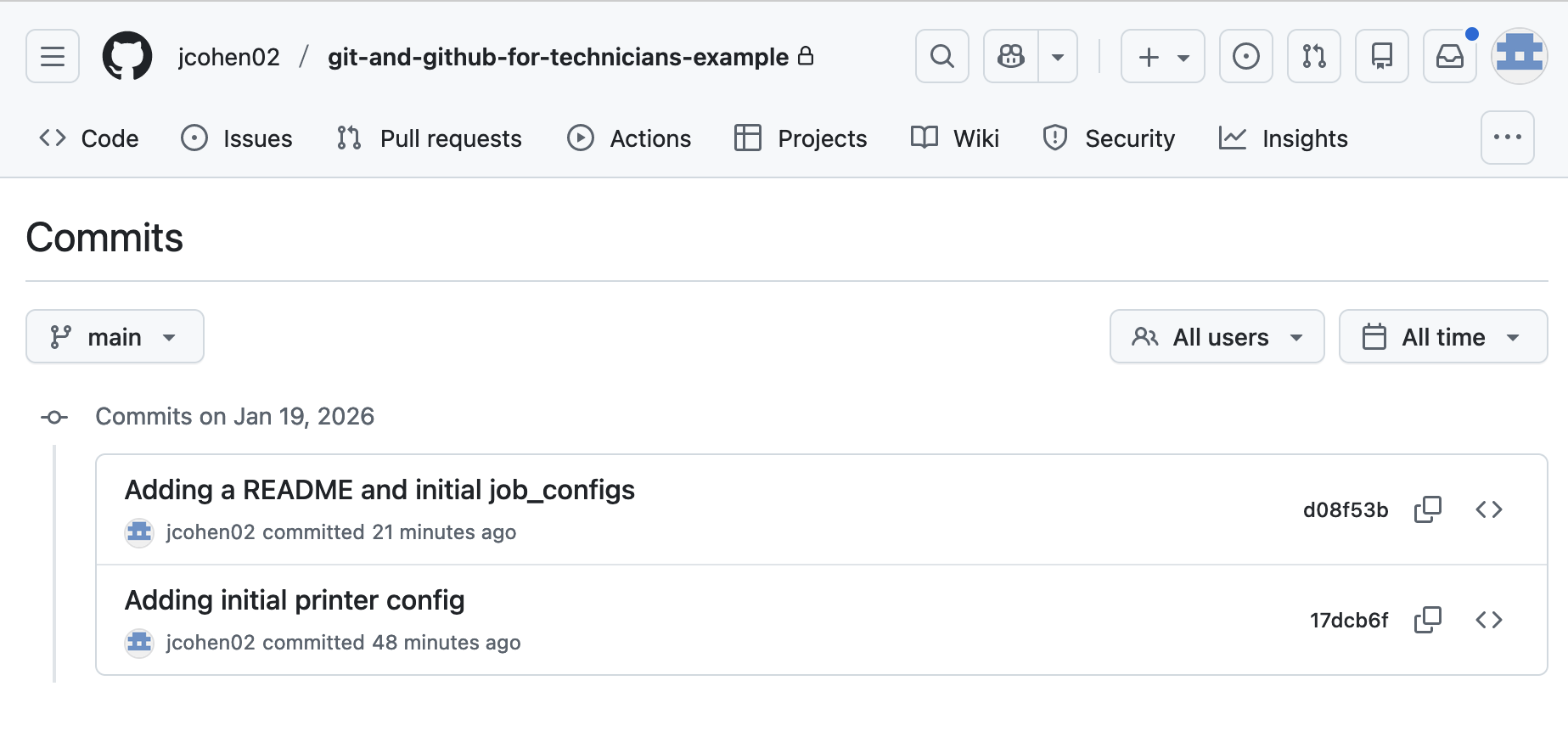
Screenshot of the GitHub commits page showing our repository's list of two commits.
Repository commits shown in the GitHub web interface.

Figure 10
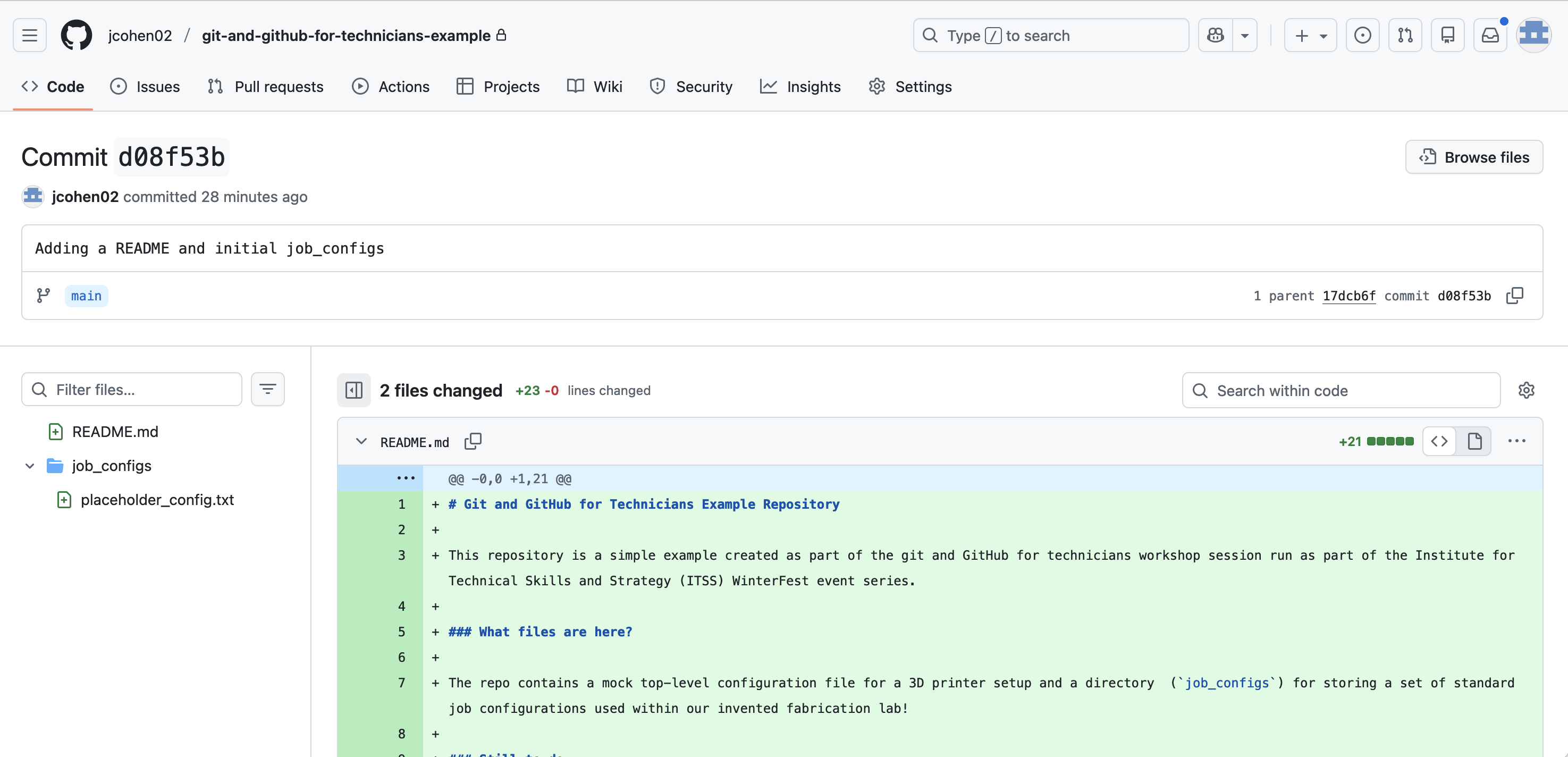
Screenshot of the GitHub web interface showing the changes associated with a commit
GitHub web interface showing the changes associated with a commit.

Git and GitHub: Where next?


Figure 1
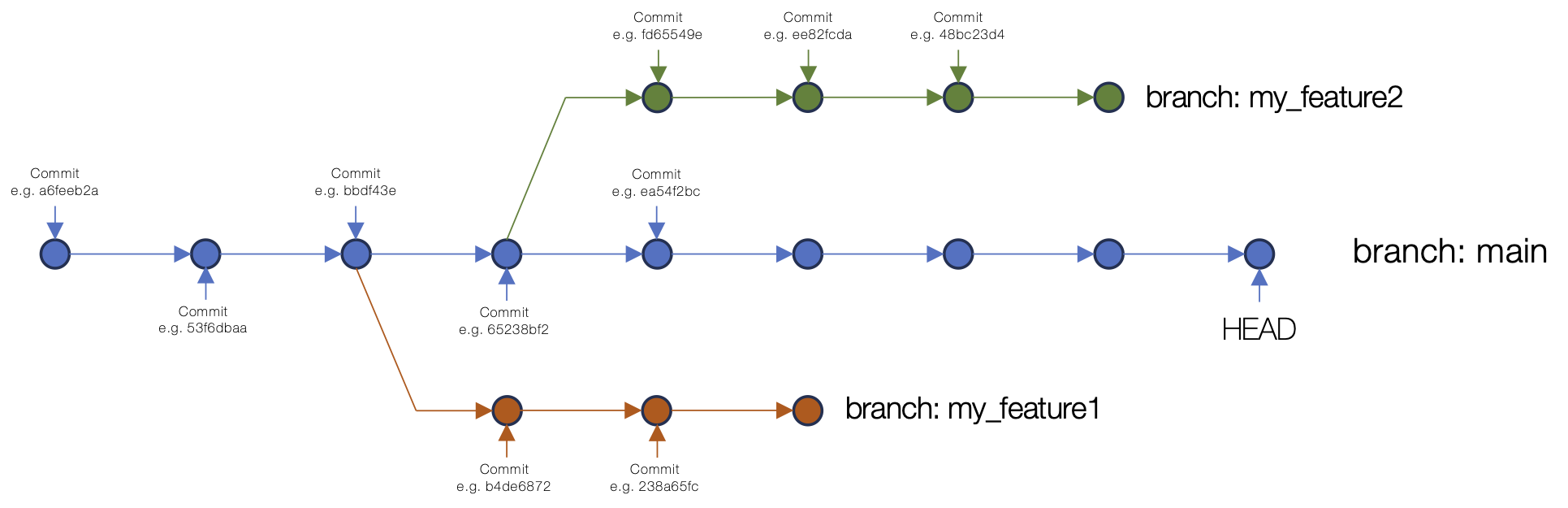
An example of branching in a Git repository commit structure showing the main branch and two other branches off main.
An example of branching in a Git repository commit structure.

Figure 2
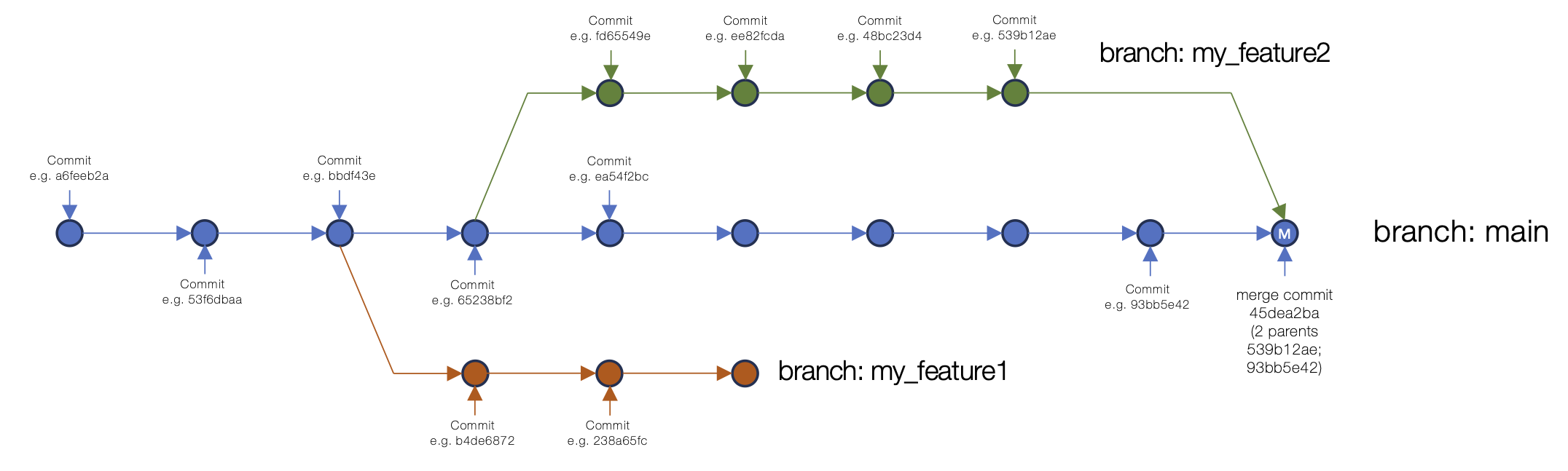
An example of merging a branch into main, showing the main branch and two other branches off, with one merging back into main with a merge commit.
An example of merging a branch into main in a Git repository commit structure.